
Exam: FCSS_NST_SE-7.6

|
|||||||||||||||||||||||||||

Exam details
Exam Name: FCSS - Network Security 7.6 Support Engineer
Exam Code: FCSS_NST_SE-7.6
Duration: 75 minutes
Number of Questions: 40
Question Format: Multiple-choice
Language: English
Product Version: FortiOS 7.6
Scoring: Pass/Fail
Registration: Available through Pearson VU
Description
The FCSS in Secure Networking certification validates your ability to
design, administer, monitor, and troubleshoot Fortinet network security
solutions. This curriculum covers network security infrastructures using
advanced Fortinet solutions.
Who Should Attempt the FCSS in Secure Networking Certification?
We recommend this certification for cybersecurity professionals who require
the expertise needed to design, manage, support, and analyze advanced Fortinet
network security solutions.
Program Requirements
FCSS_NST_SE-7.6 Exam Topics
FortiGate Core Security Architecture
* FortiOS 7.6 architecture & components
* Security fabric integration
* Traffic flow & session handling
* Inspection modes (Proxy / Flow)
* NGFW features & profiles
Firewall Policies & Access Control
* Policy configuration & sequencing
* Central NAT & IP pools
* Policy-based vs. profile-based NGFW
* Application control & web filtering
* Implicit/Explicit deny behavior
User & Device Authentication
* Local/RADIUS/LDAP authentication
* Single Sign-On (FSSO)
* Certificate-based authentication
* Identity-based policies & device groups
* Zero Trust Network Access concepts
Advanced Security Profiles
* IPS configuration & tuning
* Antivirus & malware protection
* SSL inspection (full / certificate)
* DoS protection & anomaly detection
* DNS filtering & content security
Routing & Network Design
* Static & dynamic routing (OSPF, BGP, RIP)
* ECMP, policy routing & multicast
* Link monitoring
* VRFs & segmentation strategies
VPN & Secure Connectivity
* IPsec site-to-site & remote access
* SSL VPN portal & tunnel modes
* Redundancy, failover & performance
* Troubleshooting VPN phase 1/2
* Certificates & encryption choices
SD-WAN & WAN Optimization
* SD-WAN rules, SLA, performance SLAs
* Link load balancing & steering
* Overlay tunnels
* Application-aware routing
High Availability (HA)
* Active-passive / Active-active modes
* Session sync and failover behavior
* Split-brain & HA troubleshooting
* Virtual clustering (FGSP, FGCP)
Logging, Monitoring & Analytics
* Log types & storage
* FortiAnalyzer & FortiManager integration
* Packet capture, diag debug, flow logs
* Event handling & automation stitches
Troubleshooting & Performance
* CPU/memory analysis
* Hardware acceleration (NP/CP)
* Session table analysis
* Latency, throughput & bottlenecks
* Common CLI diagnostic tools
Recommended Prerequisites
* Strong hands-on FortiGate experience
* Prior NSE 4 / FCNSP-level knowledge
* Understanding of networking (TCP/IP, routing, VPN)
Format (Typical Expectations)
* Scenario-based questions
* Advanced configuration knowledge
* Troubleshooting case studies
FCSS_NST_SE-7.6 Brain Dumps Exam + Online / Offline and Android Testing Engine & 4500+ other exams included
$50 - $25 (you save $25)
Buy Now
QUESTION 1
Consider the scenario where the server name indication (SNI) does not match
either the common
name (CN) or any of the subject alternative names (SAN) in the server
certificate.
Which action will FortiGate take when using the default settings for SSL
certificate inspection?
A. FortiGate uses the SNI from the user's web browser.
B. FortiGate closes the connection because this represents an invalid SSL/TLS
configuration.
C. FortiGate uses the first entry listed in the SAN field in the server
certificate.
D. FortiGate uses the CN information from the Subject field in the server
certificate.
Answer: D
Explanation:
When FortiGate performs SSL certificate inspection with default settings, it
checks if the Server Name
Indication (SNI) matches either the Common Name (CN) or any Subject Alternative
Name (SAN) in
the server certificate. If there is no match, FortiGate does not block the
connection; instead, it uses
the CN value from the certificate's subject field to continue web filtering and
categorization.
This behavior is described in the official Fortinet 7.6.4 Administration Guide:
â€oeCheck the SNI in the hello message with the CN or SAN field in the returned
server certificate:
Enable: If it is mismatched, use the CN in the server certificate.†This is the
default (Enable) mode,
which differs from the Strict mode that would block the mismatched connection.
By default, this policy ensures service continuity and prevents disruptions due
to certificate
mismatches, allowing FortiGate to log and inspect based on the CN even when the
requested SNI
does not match. It provides a balance between connection reliability and the
accuracy of filtering by
certificate identity, allowing security policies to remain functional without
unnecessary blocks. This
approach is recommended by Fortinet to maintain usability for end-users while
still supporting granular inspection.
Reference:
FortiGate 7.6.4 Administration Guide: Certificate Inspection
SSL/SSH Inspection Profile Configuration
QUESTION 2
Exhibit.
Refer to the exhibit, which contains partial output from an IKE real-time debug.
Which two statements about this debug output are correct? (Choose two.)
A. Perfect Forward Secrecy (PFS) is enabled in the configuration.
B. The local gateway IP address is 10.0.0.1.
C. It shows a phase 2 negotiation.
D. The initiator provided remote as its IPsec peer ID.
Answer: C, D
Explanation:
From the exhibit, you can observe that the debug output captures an IKEv1
negotiation in aggressive
mode. Let's break down the supporting details in line with official Fortinet
IPsec VPN troubleshooting
resources and debug guides:
For Option B:
The very first line of the debug output shows:
comes 10.0.0.2:500->10.0.0.1:500, ifindex=7.
This indicates the traffic direction—from the remote IP (10.0.0.2) with port
500 to the local IP
(10.0.0.1) with port 500. According to Fortinet's documentation, the right side
of the arrow always
represents the local FortiGate gateway. Thus, 10.0.0.1 is the local gateway IP
address.
For Option D:
You see the statement:
negotiation result "remote"
and
received peer identifier FQDNCE88525E7DE7F00D6C2D3C00000000
Official debug documentation describes that the "peer identifier" or peer ID
sent by the initiator is
displayed here. In the context of IKE/IPsec negotiation, this value is used as
the IPsec peer ID for
authentication and identification purposes. The initiator is providing "remote"
as the peer ID for its
connection.
Why Not A or C:
Perfect Forward Secrecy (PFS): The debug does not show any DH group negotiation
in phase 2 (no
reference to group2, group5, etc., for phase 2), so you cannot deduce the
presence of PFS solely from
this output.
Phase 2 negotiation: The log focuses on IKE (phase 1) negotiation and
establishment; there’s no
reference to ESP protocol, Quick Mode, or other identifiers that would show
phase 2 SA negotiation
and establishment.
This interpretation aligns with the explanation in the FortiOS 7.6.4
Administration Guide's VPN
section and the official debug command output samples published in Fortinet’s
documentation. It
demonstrates how to distinguish between local and remote addresses and how to
identify the use of
peer IDs.
Reference:
FortiOS 7.6.4 Administration Guide: IPsec VPN and Debugging VPNs
Technical Support Resources on interpreting IKE debug output and peer ID roles
QUESTION 3
Exhibit.
Refer to the exhibit, which shows the output of a diagnose command.
What can you conclude about the debug output in this scenario?
A. The first server provided to FortiGate when it performed a DNS query looking
for a list of rating servers, was 121.111.236.179.
B. There is a natural correlation between the value in the FortiGuard-requests
field and the value in the Weight field.
C. FortiGate used 64.26.151.37 as the initial server to validate its contract.
D. Servers with a negative TZ value are less preferred for rating requests.
Answer: C
Explanation:
The exhibit displays the output from the diagnose debug rating command on a
FortiGate device. This
command is used to display information about FortiGuard Web Filtering or other
security-related
queries performed by FortiGate to FortiGuard servers. Official Fortinet
documentation outlines the
meaning of each field in the server list. The FortiGate maintains a list of
available FortiGuard servers,
selecting the optimal server based on factors such as weight, round-trip time (RTT),
and regional settings.
The very first entry in the server list after "Server List" is the server
FortiGate initially uses, prioritized
by factors such as proximity and RTT. Here, 64.26.151.37 is listed first, and
the FortiGuard-requests
value confirms that this server handled the highest number of requests.
The IPs, weights, and lost/failed counters are monitored for server performance
and selection over
time. FortiGate's default operational logic is to try the first entry for
contract validation and use the
next in the list if the first is unavailable or has high latency or packet loss.
There is no direct correlation between the Weight and the number of FortiGuard-requests.
The
servers with higher or lower weights may still handle different request volumes
based on availability
and performance.
The TZ (time zone) value's sign (positive or negative) does not affect server
preference; it is
informational, showing the server's location relative to UTC, not a rating
metric.
DNS query results for FortiGuard servers are not shown here, and the provided
servers are not
returned in DNS query order.
This command and interpretation are detailed in the FortiOS Administration
Guide’s section
describing FortiGuard server selection and contract validation processes.
Reference:
FortiOS Administration Guide: FortiGuard Service Connectivity and Debugging
Official Technical Notes on diagnose debug rating output structure
QUESTION 4
Refer to the exhibit, which shows the output of a policy route table entry.
Which type of policy route does the output show?
A. An ISDB route
B. A regular policy route
C. A regular policy route, which is associated with an active static route in
the FIB
D. An SD-WAN rule
Answer: A
Explanation:
The exhibit for question 4 shows a policy route table entry, and key fields are
as follows:
internet service(1) : Fortinet-FortiGuard(1245324,0.0.0.0,0.0.0.0)
According to the Fortinet official documentation, when a policy route is based
on Internet Service
Database (ISDB) entries, the route entry will specifically mention â€oeinternet
service,†showing the
service being referenced (in this example, Fortinet-FortiGuard). This is
fundamentally different from a
regular policy route, which is defined by source, destination, and service
wildcards without
referencing an ISDB signature. A regular policy route's output would not contain
the line â€oeinternet service.â€
Policy routes that use ISDB allow FortiGate to steer traffic for specific
well-known services (like
FortiGuard, Google, Microsoft) based on traffic pattern recognition, even if the
destination IP is
dynamic. The matching and route selection follow the ISDB tag and can coexist
with static or regular
policy routes.
Thus, this entry is correctly and uniquely an ISDB route, as explained in the
FortiOS policy routing
documentation and ISDB configuration references.
Reference:
FortiOS Administration Guide: Policy Routing, ISDB integration and
interpretation of route table entries
ISDB-based Routing and Official CLI Outputs in Fortinet’s documentation
QUESTION 5
Exhibit.
Refer to the exhibit, which shows a FortiGate configuration.
An administrator is troubleshooting a web filter issue on FortiGate. The
administrator has configured
a web filter profile and applied it to a policy; however the web filter is not
inspecting any traffic that
is passing through the policy.
What must the administrator do to fix the issue?
A. Disable webfilter-force-off.
B. Increase webfilter-timeout.
C. Enable fortiguard-anycast.
D. Change protocol to TCP.
Answer: A
Explanation:
The exhibit shows a FortiGate configuration under config system fortiguard
related to web filtering
and FortiGuard options. There is a line:
set webfilter-force-off enable
According to official Fortinet documentation, the "webfilter-force-off" option,
when enabled, causes
Buy Complete
Students Feedback / Reviews/ Discussion
Weidner Steve 5 weeks, 1 day ago - Egypt
Thanks for helping me with this dump to pass my exam :) Passed with a score of
862
upvoted 4 times
Rojas Jesus 1 month ago - Peru
Passed the exam today
Just only 1 of all question have not seem.
Thanks Team
upvoted 3 times
David Loomis 1 month, 1 week ago - United States - Georgia
this is a good dump then
upvoted 3 times
Omkar Harsoo 1 month, 2 weeks ago - South Africa
Passed a few days ago with 770 - about 70-80% from here.
Solid experience with in tune
upvoted 2 times
Takeshi Kobayashi 2 months ago - Japan
Just passed with 886, i have some experience with in tune but these dumps should
be enough to pass
upvoted 11 times
logged members Can Post comments / review and take part in Discussion
Certkingdom Offline Testing Engine Simulator Download

Prepare with yourself how CertKingdom Offline Exam Simulator it is designed specifically for any exam preparation. It allows you to create, edit, and take practice tests in an environment very similar to an actual exam.
Supported Platforms: Windows-7 64bit or later - EULA | How to Install?
FAQ's: Windows-8 / Windows 10 if you face any issue kinldy uninstall and reinstall the Simulator again.
Download Offline Simulator
Certkingdom Testing Engine Features
- Certkingdom Testing Engine simulates the real exam environment.
- Interactive Testing Engine Included
- Live Web App Testing Engine
- Offline Downloadable Desktop App Testing Engine
- Testing Engine App for Android
- Testing Engine App for iPhone
- Testing Engine App for iPad
- Working with the Certkingdom Testing Engine is just like taking the real tests, except we also give you the correct answers.
- More importantly, we also give you detailed explanations to ensure you fully understand how and why the answers are correct.
Certkingdom Android Testing Engine Simulator Download
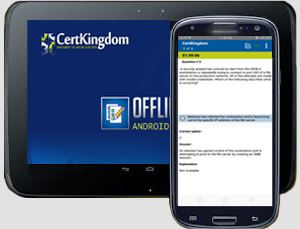
Take your learning mobile android device with all the features as desktop offline testing engine. All android devices are supported.
Supported Platforms: All Android OS EULA
Install the Android Testing Engine from Fortinet play store and download the app.ck from certkingdom website android testing engine download

Certkingdom Android Testing Engine Features
- CertKingdom Offline Android Testing Engine
- Make sure to enable Root check in Playstore
- Live Realistic practice tests
- Live Virtual test environment
- Live Practice test environment
- Mark unanswered Q&A
- Free Updates
- Save your tests results
- Re-examine the unanswered Q & A
- Make your own test scenario (settings)
- Just like the real tests: multiple choice questions
- Updated regularly, always current
