
Exam: C1000-189

|
|||||||||||||||||||||||||||

Group: Automation
Certification status: Live
Credential code: C9007500
Replaces Credential code: C9005000
Being Replaced By: N/A
Required exam: IBM Instana Observability v1.0.277 Administrator - Professional
Exam status: Live
Certification Overview
The IBM Certified Administrator on IBM Instana V1.0.277 is an
intermediate-level certification for an experienced administrator who has
extensive knowledge and experience in Instana. This administrator can perform
tasks related to Day 1 activities (installation and configuration). The
administrator also handles Day 2 management and operation, security, updates,
customization, integration, and problem determination. This administrator will
be able to work in both SaaS and on-prem environments.
Requirements
This certification requires one exam.
Exam C1000-189: IBM Instana Observability v1.0.277 Administrator - Professional
Exam Objectives
The IBM Certified Administrator on IBM Instana v1.0.277 is an
intermediate-level certification for an experienced administrator who has
extensive knowledge and experience in Instana. This administrator can perform
tasks related to Day 1 activities (installation and configuration). The
administrator also handles Day 2 management and operation, security, updates,
customization, integration, and problem determination. This administrator will
be able to work in both SaaS and on-prem environments.
Number of questions: 61
Number of questions to pass: 41
Time allowed: 90 minutes
Status: Live
Exam Objectives
The IBM Certified Administrator on IBM Instana v1.0.277 is an
intermediate-level certification for an experienced administrator who has
extensive knowledge and experience in Instana. This administrator can perform
tasks related to Day 1 activities (installation and configuration). The
administrator also handles Day 2 management and operation, security, updates,
customization, integration, and problem determination. This administrator will
be able to work in both SaaS and on-prem environments.
Number of questions: 61
Number of questions to pass: 41
Time allowed: 90 minutes
Status: Live
Section 1: Planning
Prepare Installation Prerequisites
Articulate Instana architecture for on-premise
Identify Core Capabilities and use cases
Distinguish Agent Modes
Differentiate Sensors, Tracers, Platform support
Compare Cloud service agents and serverless agents
Section 2: Installation
Install Instana backend
Install Agents
Migrate Instana
Deploy Synthetic Monitoring Monitoring PoPs.
Section 3: Configuration
Configure Business Process Monitoring
Configure the Cloud Service and Serverless Agent
Configure the Agent and Agent Proxy
Configure Service Naming Rules
Implement required technologies (Sensor types)
Implement and Manage OpenTelemetry
Configure Smart Alerts
Configure custom tracing
Configure SLIs
Configure Custom Payload (for Alert Notification Channels)
Managing licenses
Section 4: Security and Compliance
Describe Data retention policy
Plan for Regulatory Compliance
View audit logs
Secure APIs
Configure Access Management.
Section 5: Integration
Utilize Agent based integration (Omegamon/ITM/ITCAM)
Integrate with Prometheus
Integrate with Grafana
Integrate automation action
Integrate Alert Channels
Use the Instana REST API
Section 6: Operations
Configure website monitoring
Use Synthetic Monitoring
Configure applications monitoring
Create Incidents, Issues and Alerts
Analyze Infrastructure
Use Analytics
Configure Mobile Applications
Describe Golden Signals for monitoring systems
Perform Backup / Restore (Standard Edition)
Set Maintenance Windows
Investigate alerts
Create Custom Dashboard
Navigate Infrastructure and Analyze warnings and events
Section 7: Troubleshooting
Configure log levels for troubleshooting
Collect logs for troubleshooting
Troubleshoot Agent Connectivity
Troubleshoot Instana Backend installation
Exam Resources
All IBM certification tests presume a certain amount of "on-the-job" experience
which is not present in any classroom or Web presentation. The recommended
courses and links will help you gain the skill and product knowledge represented
in the test objectives. They do not teach the answers to the test questions and
are not intended to do so. This information may not cover all subject areas in
the certification test or may contain more recent information than is present in
the certification test. Taking these or any classes will not guarantee that you
will achieve certification.
C1000-189 Brain Dumps Exam + Online / Offline and Android Testing Engine & 4500+ other exams included
$50 - $25 (you save $25)
Buy Now
QUESTION 1
Which data source on the analytics page shows traces?
A. Infrastructure
B. Applications
C. Logs
D. Websites
Answer: B
Explanation:
Instana's Analytics page provides a consolidated environment for users to query
and visualize
operational data across their stack. According to the official IBM Instana
Observability
documentation, traces"comprising the end-to-end journey of requests across
services"are found
specifically under the Applications data source. The Applications section gives
interactive access to
traces, requests, response times, call hierarchies, and distributed
dependencies. This is possible
because Instana's agent and tracers automatically instrument applications to
capture and send
detailed trace data. The documentation states, "The Applications analytics
section allows you to
interactively work with service traces and requests, providing distributed
tracing visibility." This
allows users to drill down, identify bottlenecks, and analyze errors at the
service interaction and
code execution level.
Infrastructure data source focuses on system-level metrics (CPU, memory, disk),
Logs cover
textual/semi-structured log output, and Websites relate to synthetic and
real-user measurements"
but only Applications feature distributed tracing as per the IBM Instana
Observability product
documentation. Thus, for incident response, root-cause analysis, and performance
breakdowns,
always consult the Applications data source for trace-level data.
Reference: IBM Instana Observability Documentation, Analytics Overview.
QUESTION 2
At which level can AWS agent polling intervals for CloudWatch API be configured?
A. Resource group
B. Region
C. Account
D. Service
Answer: B
Explanation:
AWS monitoring through Instana involves integration with the CloudWatch API to
retrieve platform
and service metrics. The official IBM Instana Observability documentation
affirms that polling
intervals for CloudWatch can be set at the Region level. This means an
administrator configures how
frequently Instana's agent queries CloudWatch within each specified region
independently. This level
of granularity provides flexibility: for example, mission-critical regions may
be monitored more
frequently, while others are polled less often to reduce API costs or remain
within AWS rate limits.
The documentation specifies: "Instana Agents for AWS can be configured with a
polling interval for
CloudWatch that is set per Region to customize granularity and resource
consumption." Polling
cannot be set at the account, resource group, or individual service level in
default configuration.
Instana's region-based polling helps balance data accuracy and overhead,
especially in global or
multi-region deployments. If needed, changes are applied through YAML
configuration or UI during
AWS agent integration setup.
Reference: IBM Instana Observability Documentation, AWS Monitoring, Agent
Configuration.
QUESTION 3
When installing the Instana host agent on Kubernetes, which option is valid?
A. Homebrew
B. Binary
C. Operator
D. RPM
Answer: C
Explanation:
The Instana Operator is the officially recommended and supported method for
deploying the Instana
host agent on Kubernetes clusters. The IBM Instana Observability documentation
states, "The
recommended method to install the Instana agent on Kubernetes clusters is via
the Instana Operator,
which uses Custom Resources to simplify lifecycle management." The Operator
pattern in
Kubernetes automates not just installation, but also upgrades, configuration,
and management of
agents across the entire cluster. This ensures security and reliability because
the Operator reacts to
cluster changes and can self-heal agent deployments. Other install options such
as Homebrew, direct
binary, or RPM are for traditional VM or bare-metal hosts"not for orchestrated
container
environments like Kubernetes. Only with the Operator does Instana support
automated scaling,
configuration through CRDs, and native Kubernetes best practices. Helm charts
are also often
involved in configuring the Operator, further streamlining agents' deployment in
public, private, or
hybrid cloud clusters.
Reference: IBM Instana Observability Documentation, Kubernetes Installation,
Operator Lifecycle Management.
QUESTION 4
Which HTTP header is automatically collected?
A. x-client-id
B. Instana-probe
C. Instana-id
D. X-Instana-Service
Answer: D
Explanation:
Instana traces and analyzes every request. Services and endpoints are
automatically discovered, and
relationships between services, endpoints, and your infrastructure are
autocorrelated and stored in
our Dynamic Graph.
Based on the data that is collected from tracers and sensors, KPIs are
calculated for calls, latency, and
erroneous calls. KPIs help you discover the health of every individual service
and then the health of
your entire infrastructure.
Services are a part of application monitoring and provide a logical view of your
system. Services are
derived from infrastructure entities such as hosts, containers, and processes.
Incoming calls are
correlated to infrastructure entities and enriched with infrastructure data; for
example, the
Kubernetes pod label or SpringBoot application name. After this
infrastructure-linking processing
step, a service mapping step maps the enriched calls to generate a service name
per call based on a
set of rules. Instana comes with an extensive set of predefined rules to
generate the best possible
service name for you automatically. To fine-tune the service mapping, you can
create your own
custom rules, see customize service mapping.
QUESTION 5
Which type of custom resource supports the retention policy settings in the
Custom Edition?
A. StorageConf
B. CoreSpec
C. UnitProp
D. ConfigYaml
Answer: B
Explanation:
According to the official IBM Instana Observability documentation (v1.0.304),
retention policy
settings in Custom Edition are NOT configured in a custom resource called "StorageConf."
Instead,
they are configured as properties within the CoreSpec of the Core custom
resource. The
documentation explicitly states: "Overwriting the default retention settings is
optional and should
only be done consciously. These retention setting values are configured as
properties in the
CoreSpec." The actual configuration looks like this:
text
kind: Core
metadata:
name: instana-core
namespace: instana-core
spec:
properties:
- name: retention.metrics.rollup5
value: "86400"
- name: config.appdata.shortterm.retention.days
value: "7"
- name: config.synthetics.retention.days
value: "60"
The retention policies for infrastructure metrics, application data, and
synthetic monitoring are all
configured as properties within the Core spec, not in a separate "StorageConf"
custom resource.
"StorageConf" refers to storage configurations for raw spans (S3, GCS, Azure),
not retention policies.
Reference: IBM Instana Observability Documentation (v1.0.304) " Installing the
Instana Backend,
Overwriting Data Retention Defaults section in CoreSpec.
logged members Can Post comments / review and take part in Discussion
Certkingdom Offline Testing Engine Simulator Download

Prepare with yourself how CertKingdom Offline Exam Simulator it is designed specifically for any exam preparation. It allows you to create, edit, and take practice tests in an environment very similar to an actual exam.
Supported Platforms: Windows-7 64bit or later - EULA | How to Install?
FAQ's: Windows-8 / Windows 10 if you face any issue kinldy uninstall and reinstall the Simulator again.
Download Offline Simulator-Beta
Certkingdom Testing Engine Features
- Certkingdom Testing Engine simulates the real exam environment.
- Interactive Testing Engine Included
- Live Web App Testing Engine
- Offline Downloadable Desktop App Testing Engine
- Testing Engine App for Android
- Testing Engine App for iPhone
- Testing Engine App for iPad
- Working with the Certkingdom Testing Engine is just like taking the real tests, except we also give you the correct answers.
- More importantly, we also give you detailed explanations to ensure you fully understand how and why the answers are correct.
Certkingdom Android Testing Engine Simulator Download
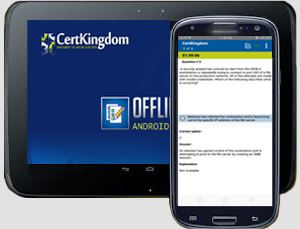
Take your learning mobile android device with all the features as desktop offline testing engine. All android devices are supported.
Supported Platforms: All Android OS EULA
Install the Android Testing Engine from google play store and download the app.ck from certkingdom website android testing engine download

Certkingdom Android Testing Engine Features
- CertKingdom Offline Android Testing Engine
- Make sure to enable Root check in Playstore
- Live Realistic practice tests
- Live Virtual test environment
- Live Practice test environment
- Mark unanswered Q&A
- Free Updates
- Save your tests results
- Re-examine the unanswered Q & A
- Make your own test scenario (settings)
- Just like the real tests: multiple choice questions
- Updated regularly, always current
