
Exam: 3V0-25.25
|
|||||||||||||||||||||||||||

3V0-25.25 Exam Overview
The VMware Certified Advanced Professional – VMware Cloud Foundation 9.0
Networking (3V0-25.25) exam validates advanced-level expertise in designing,
deploying, configuring, managing, and troubleshooting VMware Cloud Foundation (VCF)
Networking environments.
This certification focuses heavily on VMware NSX architecture, advanced
networking design, multi-site implementations, security, optimization, and
troubleshooting across enterprise and multi-cloud infrastructures. Successful
candidates demonstrate a deep understanding of VCF Networking integration with
VMware vSphere and operational best practices.
3V0-25.25 Exam Details
Below are the official exam details for the VCAP VCF Networking
certification:
Exam Language: English
Exam Duration: 135 minutes
Number of Questions: 60
Question Formats: Multiple Choice
Multiple Choice (Multiple Selection), Drag and Drop, Matching, Build-List,
Sequencing, Proctored Exam
Passing Score: 300 (Scaled)
Exam Price:
Required Certification Exam
To earn the VCAP credential, candidates must pass:
VMware Certified Advanced Professional – VMware Cloud Foundation 9.0
Networking (3V0-25.25)
This exam is intended for experienced VMware professionals with hands-on
knowledge of NSX, VCF networking design, and enterprise-grade network
troubleshooting.
VMware VCAP Networking Certification Overview
The VCAP Administrator Networking certification proves your ability to work with
complex VMware Cloud Foundation networking environments, including NSX
Federation, Edge Clusters, Tier-0 and Tier-1 gateways, VPCs, and advanced
integrations.
This certification is ideal for network engineers, cloud architects,
virtualization specialists, and VMware administrators working in large-scale or
multi-cloud deployments.
VMware Exam Blueprint Structure
VMware certification exams follow a standardized five-section blueprint. Not all
sections may include testable objectives, depending on the exam version.
Standard Exam Sections
IT Architectures, Technologies, and Standards
VMware Products and Solutions
Plan and Design the VMware Solution
Install, Configure, and Administrate the VMware Solution
Troubleshoot and Optimize the VMware Solution
If a section does not include testable objectives, it is explicitly noted.
Objective numbers may appear in your score report to help guide future
preparation or retake planning.
Sections Included in the 3V0-25.25 Exam
Section 1 – IT Architectures, Technologies, Standards
No testable objectives
Section 2 – VMware Products and Solutions
No testable objectives
Section 3 – Plan and Design the VMware Solution
Key design-focused objectives include:
NSX Architecture & Components
Designing centralized vs distributed NSX connectivity solutions
Designing NSX multi-site solutions in VMware Cloud Foundation
NSX Fleet design considerations
NSX optimization and acceleration design decisions
Section 4 – Install, Configure, and Administrate the VMware Solution
This is the most heavily weighted section, covering real-world implementation
scenarios:
Deploying VMware NSX Federation in VCF
Configuring NSX components and services
Deploying NSX Edge Clusters
Creating NSX Tier-0 and Tier-1 gateways
Configuring NSX Logical Segments
Deploying and managing Virtual Private Clouds (VPCs)
Configuring stateful services in NSX
Managing Projects and Tenancy
Implementing advanced NSX integrations
Performing operational tasks such as syslog, backup, and restore
Selecting the appropriate VCF monitoring tools for NSX environments
Section 5 – Troubleshoot and Optimize the VMware Solution
This section validates your troubleshooting and optimization skills:
Identifying the correct VCF tools for NSX issue resolution
Troubleshooting NSX infrastructure issues
Resolving connectivity and routing problems
Understanding Equal Cost Multi-Path (ECMP) and high availability
Explaining logical routing packet flow (packet walk)
Official VMware Training Courses
VMware recommends the following advanced training courses for exam preparation:
VMware Cloud Foundation Networking: Advanced Design [V9]
VMware Cloud Foundation Networking: Advanced Configuration [V9]
VMware Cloud Foundation Networking: Advanced Troubleshooting [V9]
Exam Preparation Resources
To prepare effectively for the 3V0-25.25 exam, VMware recommends:
Engaging with the VMware Community to discuss certification topics
Using VMware Customer Connect Learning to follow structured learning paths
Studying official VMware certification books
Purchasing official VMware training materials for hands-on labs and guided
learning
Who Should Take the 3V0-25.25 VCAP Exam?
This certification is ideal for:
VMware Network Administrators
Cloud & Infrastructure Architects
NSX Specialists
Senior VMware Engineers
IT professionals managing enterprise and multi-cloud networking environments
Why Earn the VMware VCAP VCF Networking Certification?
Earning the VMware Certified Advanced Professional – VMware Cloud Foundation
9.0 Networking credential demonstrates advanced expertise in NSX design,
implementation, and troubleshooting. It significantly boosts credibility for
senior-level VMware roles, cloud networking positions, and enterprise
infrastructure projects.
3V0-25.25 Brain Dumps Exam + Online / Offline and Android Testing Engine & 4500+ other exams included
$50 - $25 (you save $25)
Buy Now
QUESTION 1
An administrator has noticed an issue in a freshly deployed VMware Cloud
Foundation (VCF)
environment where the BGP neighborship between the Tier-0 gateway and a physical
router remains
in the Idle state. Pings between the uplink IPs are successful. What is the
issue?
A. Autonomous System number mismatch.
B. Distributed Firewall blocking traffic.
C. Geneve tunnel down.
D. Overlay MTU too low.
Answer: A
Explanation:
Comprehensive and Detailed 250 to 350 words of Explanation From VMware Cloud
Foundation (VCF) documents:
In the context of VMware Cloud Foundation (VCF), particularly versions 5.x and
the architectural
advancements in VCF 9.0, the establishment of North-South routing via the NSX
Tier-0 Gateway is a
critical post-deployment or bring-up task. The Tier-0 gateway uses Border
Gateway Protocol (BGP) to
peer with physical Top-of-Rack (ToR) switches to exchange reachability
information for the overlay networks.
When a BGP session is reported in the "Idle" state, it indicates that the BGP
Finite State Machine
(FSM) is at its first stage and is not yet attempting a TCP connection, or it
has encountered an error
that forced it back to this state. According to VMware VCF documentation and NSX
troubleshooting
guides, if the administrator can successfully ping between the Tier-0 uplink IP
and the physical router
interface, Layer 3 reachability is confirmed. This eliminates issues related to
physical cabling, VLAN
tagging on the trunk ports, or basic IP interface configuration.
The primary reason a BGP session remains Idle despite successful ICMP
reachability is a
configuration mismatch. Specifically, an Autonomous System (AS) number mismatch
is the most
frequent culprit. BGP requires that the "Remote AS" configured on the Tier-0
gateway matches the
"Local AS" of the physical peer. If the SDDC Manager automated workflow or the
manual
configuration in NSX Manager contains a typo in these values, the protocol
handshake will fail immediately.
While a Distributed Firewall (DFW) could technically block port 179, it is not
common in a "freshly
deployed" environment for the default rules to block the Edge Node's control
plane traffic. Geneve
tunnels and MTU issues (Option C and D) typically affect the data plane”causing
packet loss for
encapsulated guest VM traffic”but they do not prevent the BGP control plane
(running over
standard TCP) from moving beyond the Idle state. Therefore, verifying the AS
numbers in the VCF
Planning and Preparation Workbook against the physical switch configuration is
the verified resolution path.
QUESTION 2
A cloud service provider runs VPCs with differing traffic patterns:
Some VPCs are generating high, large North/South flows.
Most of the VPCs generate very little traffic.
The architect needs to optimize Edge dataplane resource consumption while
ensuring that noisy VPCs do not impact others.
Which optimization satisfies the requirement?
A. Assign one dedicated Edge node per high-traffic VPC.
B. Reduce the number of VPCs by consolidating VPCs into shared namespaces.
C. Convert high-traffic VPCs into VLAN-backed segments attached directly to
Tier-0 gateways.
D. Use multiple Edge clusters and distribute VRF-backed VPCs based on traffic
profiles.
Answer: D
Explanation:
Comprehensive and Detailed 250 to 350 words of Explanation From VMware Cloud
Foundation (VCF) documents:
In a VMware Cloud Foundation (VCF) environment, especially with the
architectural evolution in VCF
9.0, the Virtual Private Cloud (VPC) model is the primary way to deliver
self-service, isolated
networking. The networking performance for North/South traffic”traffic leaving
the SDDC for the
physical network”is processed by NSX Edge Nodes. These Edge Nodes use DPDK (Data
Plane
Development Kit) to provide high-performance packet processing, but their
resources (CPU and
Memory) are finite.
When dealing with "noisy neighbors"”tenants or VPCs that consume a
disproportionate amount of
throughput”it is critical to isolate their data plane impact. According to the
VMware Validated
Solutions and VCF Design Guides, the most scalable and efficient way to achieve
this is through the
use of Multiple Edge Clusters. By creating distinct Edge clusters, an architect
can physically isolate
the compute resources used for routing.
In this scenario, high-traffic VPCs can be backed by specific VRF (Virtual
Routing and Forwarding)
instances on a Tier-0 gateway that is hosted on a dedicated high-performance
Edge Cluster.
Meanwhile, the numerous low-traffic VPCs can share a different Edge Cluster.
This "Traffic Profile"
based distribution ensures that a spike in traffic within a "heavy" VPC only
consumes the DPDK cycles
of its assigned Edge nodes, leaving the resources for the "quiet" VPCs
untouched.
Option A is incorrect because Edge nodes function in clusters for high
availability; assigning a single
node creates a single point of failure and is administratively heavy. Option B
reduces the multitenancy
benefits and doesn't solve the resource contention at the Edge level. Option C
removes the
benefits of the software-defined overlay and VPC consumption model. Therefore,
distributing VRFbacked
VPCs across multiple Edge clusters based on their expected load is the verified
design best
practice for optimizing resource consumption while maintaining strict
performance isolation in a VCF
provider environment.
QUESTION 3
A large multinational corporation is seeking proposals for the modernization
of a Private Cloud
environment. The proposed solution must meet the following requirements:
Support multiple data centers located in different geographic regions.
Provide a secure and scalable solution that ensures seamless connectivity
between data centers and different departments.
Which three NSX features or capabilities must be included in the proposed
solution? (Choose three.)
A. NSX Edge
B. AVI Load Balancer
C. vDefend
D. Virtual Private Cloud (VPC)
E. Centralized Network Connectivity
F. NSX L2 Bridging
Answer: A, C, D
Explanation:
Comprehensive and Detailed 250 to 350 words of Explanation From VMware Cloud
Foundation (VCF) documents:
In a modern VMware Cloud Foundation (VCF) architecture, particularly when
addressing the needs of
a multinational corporation with geographically dispersed data centers, the
solution must prioritize
multi-tenancy, security, and consistent delivery. The integration of NSX within
VCF provides these core pillars.
First, the NSX Edge is a foundational requirement for any multi-site or modern
cloud environment. It
serves as the bridge between the virtual overlay network and the physical world.
In a multi-region
deployment, NSX Edges facilitate North-South traffic and are essential for
supporting features like
Global Server Load Balancing (GSLB) or site-to-site connectivity. Without the
Edge, the softwaredefined
data center (SDDC) cannot communicate with external networks or peer via BGP
with
physical routers.
Second, vDefend (formerly known as NSX Security) provides the advanced security
framework
required for a "secure and scalable" environment. This includes Distributed
Firewalling (DFW),
Distributed IDS/IPS, and Malware Prevention. For a corporation with different
departments, vDefend
allows for micro-segmentation, ensuring that a security breach in one
department's segment cannot
move laterally to another. This is critical for meeting compliance and isolation
requirements across global regions.
Third, the Virtual Private Cloud (VPC) model is the cornerstone of the latest
VCF 9.0 and 5.x
architectures. It enables the "scalable solution" for different departments by
providing a self-service
consumption model. Each department can manage its own isolated network space,
including
subnets and security policies, without needing deep networking expertise or
constant tickets for the
central IT team. This abstraction simplifies management across multiple data
centers and allows for
consistent application of policies regardless of the physical location.
While AVI Load Balancer and Centralized Network Connectivity are valuable, they
are often
considered add-ons or outcomes rather than the core architectural features that
define the multitenant,
secure, and geographically distributed nature of a modern VCF private cloud
modernization project.
QUESTION 4
An administrator is troubleshooting why workloads in NSX cannot reach the
external network
10.100.0.0. The Tier-0 Gateway is in Active/Active mode and has the following
configuration:
Uplink-1 (VLAN 100): 192.168.100.0 -> router R1 at 192.168.100.1
Uplink-2 (VLAN 101): 192.168.101.0 -> router R2 at 192.168.101.1
A static route for 10.100.0.0 was added with both next-hops (192.168.100.1 and
192.168.101.1).
The Scope of this route is set to Uplink-1.
Symptoms:
Virtual Machines (VMs) cannot reach 10.100.0.0
Traceroute from the VM stops at the Tier-0 gateway with "Destination Net
Unreachable"
Pings from the Edge nodes to both 192.168.100.1 and 192.168.101.1 are success
What explains why workloads in NSX cannot reach the external network?
A. Static routes do not support Equal Cost Multi-Pathing (ECMP) in NSX.
B. The static route Scope is set to only one uplink interface, but the next-hops
are on two different VLANs.
C. The next-hops should have been configured as the Tier-0's own uplink IPs
instead of the routers IPs.
D. The physical routers are missing return routes.
Answer: B
Explanation:
Comprehensive and Detailed 250 to 350 words of Explanation From VMware Cloud
Foundation (VCF) documents:
Troubleshooting routing in a VMware Cloud Foundation (VCF) environment requires
a deep
understanding of how the NSX Tier-0 Gateway processes forwarding entries. In an
Active/Active
configuration, the Tier-0 gateway is designed to utilize ECMP (Equal Cost Multi-Pathing)
to distribute
traffic across multiple paths to the physical network.
The specific failure described”where a traceroute fails at the Tier-0 with
"Destination Net
Unreachable" despite the Edge nodes having basic ping connectivity to the
routers”points toward a
routing table entry error rather than a physical connectivity issue. In NSX,
when a static route is
created, an administrator has the option to set a "Scope." The Scope explicitly
tells the NSX routing
engine which interface should be used to reach the defined next-hops.
In this scenario, the administrator has defined two next-hops (R1 and R2) but
has restricted the scope
of the static route to Uplink-1 only. Because R2 (192.168.101.1) is on a
different subnet/VLAN (VLAN
101) that is associated with Uplink-2, the Tier-0 gateway cannot resolve the
next-hop for R2 via
Uplink-1. Furthermore, if the gateway detects an inconsistency between the
defined next-hop and
the scoped interface, it may invalidate the route or fail to install it
correctly in the forwarding
information base (FIB) for the service router.
According to VMware documentation, the Scope should typically be left as "All
Uplinks" or carefully
matched to the interfaces that have Layer 2 reachability to the next-hop. By
scoping it to only Uplink-
1, the router R2 becomes unreachable for that specific route entry. Even for R1,
if the hashing
mechanism of the Active/Active Tier-0 attempts to use a component of the gateway
not associated
with that scope, the traffic will fail. The error "Destination Net Unreachable"
at the Tier-0 hop
confirms that the Tier-0 has no valid, functional path in its routing table for
the 10.100.0.0
network due to this scoping conflict.
QUESTION 5
An administrator is investigating packet loss reported by workloads connected to
VLAN segments in
an NSX environment. Initial checks confirm:
All VMs are powered on
VLAN segment IDs are consistent across transport nodes
Physical switch configurations are correct.
Which two NSX tools can be used to troubleshoot packet loss on VLAN Segments?
(Choose two.)
A. Flow Monitoring
B. Traceflow
C. Packet Capture
D. Activity Monitoring
E. Live Flow
Answer: B, C
Explanation:
Comprehensive and Detailed 250 to 350 words of Explanation From VMware Cloud
Foundation (VCF) documents:
In a VMware Cloud Foundation (VCF) environment, troubleshooting packet loss
requires tools that
can provide visibility into both the logical and physical paths of a packet.
When dealing specifically
with VLAN segments (as opposed to Overlay segments), the traffic does not leave
the host
encapsulated in Geneve; instead, it is tagged with a standard 802.1Q header.
Traceflow is the primary diagnostic tool within NSX for identifying where a
packet is being dropped. It
allows an administrator to inject a synthetic packet into the data plane from a
source (such as a VM
vNIC) to a destination. The tool then reports back every "observation point"
along the path, including
switching, routing, and firewalling. If a packet is dropped by a Distributed
Firewall (DFW) rule or a
physical misconfiguration that wasn't caught initially, Traceflow will
explicitly state at which stage the packet was lost.
Packet Capture is the second essential tool. NSX provides a robust, distributed
packet capture utility
that can be executed from the NSX Manager CLI or UI. This tool allows
administrators to capture
traffic at various points, such as the vNIC, the switch port, or the physical
uplink (vmnic) of the ESXi
Transport Node. By comparing captures from different points, an administrator
can determine if a
packet is reaching the virtual switch but failing to exit the physical NIC, or
if return traffic is reaching the host but not the VM.
Options like Flow Monitoring and Live Flow are excellent for observing traffic
patterns and session
statistics (IPFIX), but they are less effective for pinpointing the exact cause
of "packet loss" compared
to the granular, packet-level analysis provided by Traceflow and Packet Capture.
Activity Monitoring
Buy Complete
Students Feedback / Reviews/ Discussion
Mahrous Mostafa Adel Amin 1 week, 2 days ago - Abuhib- United Arab
Emirates
Passed the exam today, Got 98 questions in total, and 2 of them weren’t from
exam topics. Rest of them was exactly the same!
upvoted 4 times
Mbongiseni Dlongolo - South Africa2 weeks, 5 days ago
Thank you so much, I passed 3V0-25.25 today! 41 questions out of 44 are from
Certkingdom
upvoted 2 times
Kenyon Stefanie 1 month, 1 week ago - USA State / Province = Virginia
Thank you so much, huge help! I passed 3V0-25.25 VMware today! The big majority
of questions were from here.
upvoted 2 times
Danny 1 month, 1 week ago - United States CUSTOMER_STATE_NAME: Costa Mesa =
USA
Passed the exam today, 100% points. Got 44 questions in total, and 3 of them
weren’t from exam topics. Rest of them was exactly the same!
MENESES RAUL 93% 2 week ago - USA = Texas
was from this topic! I did buy the contributor access. Thank you certkingdom!
upvoted 4 times
Zemljaric Rok 1 month, 2 weeks ago - Ljubljana Slovenia
Cleared my exam today - Over 80% questions from here, many thanks certkingdom
and everyone for the meaningful discussions.
upvoted 2 times
logged members Can Post comments / review and take part in Discussion
Certkingdom Offline Testing Engine Simulator Download

Prepare with yourself how CertKingdom Offline Exam Simulator it is designed specifically for any exam preparation. It allows you to create, edit, and take practice tests in an environment very similar to an actual exam.
Supported Platforms: Windows-7 64bit or later - EULA | How to Install?
FAQ's: Windows-8 / Windows 10 if you face any issue kinldy uninstall and reinstall the Simulator again.
Download Offline Simulator-Beta
Certkingdom Testing Engine Features
- Certkingdom Testing Engine simulates the real exam environment.
- Interactive Testing Engine Included
- Live Web App Testing Engine
- Offline Downloadable Desktop App Testing Engine
- Testing Engine App for Android
- Testing Engine App for iPhone
- Testing Engine App for iPad
- Working with the Certkingdom Testing Engine is just like taking the real tests, except we also give you the correct answers.
- More importantly, we also give you detailed explanations to ensure you fully understand how and why the answers are correct.
Certkingdom Android Testing Engine Simulator Download
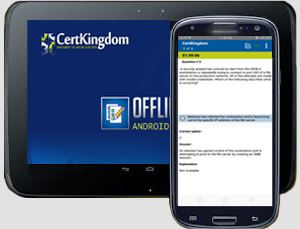
Take your learning mobile android device with all the features as desktop offline testing engine. All android devices are supported.
Supported Platforms: All Android OS EULA
Install the Android Testing Engine from google play store and download the app.ck from certkingdom website android testing engine download

Certkingdom Android Testing Engine Features
- CertKingdom Offline Android Testing Engine
- Make sure to enable Root check in Playstore
- Live Realistic practice tests
- Live Virtual test environment
- Live Practice test environment
- Mark unanswered Q&A
- Free Updates
- Save your tests results
- Re-examine the unanswered Q & A
- Make your own test scenario (settings)
- Just like the real tests: multiple choice questions
- Updated regularly, always current
