
Exam: XDR-ANALYST

|
|||||||||||||||||||||||||||

Format & Logistics
Questions: 60-75 (multiple choice/simulation)
Time: 90 minutes
Passing Score: 860 (on a 300-1000 scale)
Delivery:
Certification Objectives
This certification validates the knowledge, skills, and abilities of current
or aspiring security operations center (SOC) analysts and security operations
specialists in incident investigation and response, alert handling, threat
hunting, vulnerability assessment, reporting, and compliance using Cortex XDR.
The Palo Alto Networks XDR-Analyst exam (PCCXDA) tests your skills in threat
detection, investigation, and response using Cortex XDR, covering alerting,
incident handling, data analysis, and endpoint security. Expect around 60-75
questions, a 90-minute time limit, and a passing score of 860/1000, focusing on
practical application for SOC analysts and security pros. Preparation involves
studying the syllabus, taking practice exams, and getting hands-on with Cortex
XDR.
Standard
With standard delivery you will receive two emails within 3-4 hours of your
purchase. The first email will be an order confirmation, and the second will
include your voucher and registration information. Make sure to check your spam
and junk folders.
Exam Overview
Vendor: Palo Alto Networks
Certification: Palo Alto Networks Certified XDR Analyst (PCCXDA)
Focus: Incident investigation, threat hunting, and response with Cortex XDR
Key Exam Topics & Domains
Cortex XDR Platform Fundamentals: Understanding the architecture, components,
and data flow.
Alerting & Detection Processes (23%): How XDR generates and manages alerts,
understanding key metrics.
Incident Handling & Response (34%): Validating, scoping incidents, using
causality views, investigating.
Data Analysis (28%): Utilizing tools like Live Terminal, analyzing artifacts,
memory dumps, and registry changes.
Endpoint Security Management (15%): Agent states (disconnected, quarantined),
host insights, vulnerability assessment.
Threat Hunting & Reporting: Proactive threat hunting and compliance reporting.
Core Skills Validated
Investigating and responding to security incidents.
Performing forensic analysis on endpoints.
Using XDR tools for comprehensive threat investigation.
Understanding MITRE ATT&CK framework coverage.
To prepare, use Palo Alto Networks' digital learning paths, attend training, and
practice with the Cortex XDR platform.
Key Exam Topics (Syllabus)
Alerting and Detection Processes (23%)
Incident Handling and Response (34%)
Data Analysis (28%)
Endpoint Security Management (15%)
Target Audience
SOC Analysts, Threat Hunters, Security Engineers
IT security professionals managing XDR operations
XDR-ANALYST Brain Dumps Exam + Online / Offline and Android Testing Engine & 4500+ other exams included
$50 - $25 (you save $25)
Buy Now
QUESTION 1
Phishing belongs to which of the following MITRE ATT&CK tactics?
A. Initial Access, Persistence
B. Persistence, Command and Control
C. Reconnaissance, Persistence
D. Reconnaissance, Initial Access
Answer: D
Explanation:
Phishing is a technique that belongs to two MITRE ATT&CK tactics: Reconnaissance
and Initial Access.
Reconnaissance is the process of gathering information about a target before
launching an attack.
Phishing for information is a sub-technique of Reconnaissance that involves
sending phishing
messages to elicit sensitive information that can be used during targeting.
Initial Access is the
process of gaining a foothold in a network or system. Phishing is a
sub-technique of Initial Access that
involves sending phishing messages to execute malicious code on victim systems.
Phishing can be
used for both Reconnaissance and Initial Access depending on the objective and
content of the
phishing message. Reference:
Phishing, Technique T1566 - Enterprise | MITRE ATT&CK® 1
Phishing for Information, Technique T1598 - Enterprise | MITRE ATT&CK® 2
Phishing for information, Part 2: Tactics and techniques 3
PHISHING AND THE MITREATT&CK FRAMEWORK - EnterpriseTalk 4
Initial Access, Tactic TA0001 - Enterprise | MITRE ATT&CK® 5
QUESTION 2
When creating a BIOC rule, which XQL query can be used?
A. dataset = xdr_data
| filter event_sub_type = PROCESS_START and
action_process_image_name ~= ".*?\.(?:pdf|docx)\.exe"
B. dataset = xdr_data
| filter event_type = PROCESS and
event_sub_type = PROCESS_START and
action_process_image_name ~= ".*?\.(?:pdf|docx)\.exe"
C. dataset = xdr_data
| filter action_process_image_name ~= ".*?\.(?:pdf|docx)\.exe"
| fields action_process_image
D. dataset = xdr_data
| filter event_behavior = true
event_sub_type = PROCESS_START and
action_process_image_name ~= ".*?\.(?:pdf|docx)\.exe"
Answer: B
Explanation:
A BIOC rule is a custom detection rule that uses the Cortex Query Language (XQL)
to define the
behavior or actions that indicate a potential threat. A BIOC rule can use the
xdr_data and
cloud_audit_log datasets and presets for these datasets. A BIOC rule can also
use the filter stage,
alter stage, and functions without any aggregations in the XQL query. The query
must return a single
field named action_process_image, which is the process image name of the
suspicious process. The
query must also include the event_type and event_sub_type fields in the filter
stage to specify the
type and sub-type of the event that triggers the rule.
Option B is the correct answer because it meets all the requirements for a valid
BIOC rule query. It
uses the xdr_data dataset, the filter stage, the event_type and event_sub_type
fields, and the
action_process_image_name field with a regular expression to match any process
image name that
ends with .pdf.exe or .docx.exe, which are common indicators of malicious files.
Option A is incorrect because it does not include the event_type field in the
filter stage, which is
mandatory for a BIOC rule query.
Option C is incorrect because it does not include the event_type and
event_sub_type fields in the
filter stage, and it uses the fields stage, which is not supported for a BIOC
rule query. It also returns
the action_process_image field instead of the action_process_image_name field,
which is the
expected output for a BIOC rule query.
Option D is incorrect because it uses the event_behavior field, which is not
supported for a BIOC rule
query. It also does not include the event_type field in the filter stage, and it
uses the event_sub_type
field incorrectly. The event_sub_type field should be equal to PROCESS_START,
not true.
Reference:
Working with BIOCs
Cortex Query Language (XQL) Reference
QUESTION 3
Which built-in dashboard would be the best option for an executive, if they were
looking for the
Mean Time to Resolution (MTTR) metric?
A. Security Manager Dashboard
B. Data Ingestion Dashboard
C. Security Admin Dashboard
D. Incident Management Dashboard
Answer: D
Explanation:
The Incident Management Dashboard provides a high-level overview of the incident
response
process, including the Mean Time to Resolution (MTTR) metric. This metric
measures the average
time it takes to resolve an incident from the moment it is created to the moment
it is closed. The
dashboard also shows the number of incidents by status, severity, and assigned
analyst, as well as
the top alerts by category, source, and destination. The Incident Management
Dashboard is designed
for executives and managers who want to monitor the performance and efficiency
of their security
teams. Reference: [PCDRA Study Guide], page 18.
QUESTION 4
What are two purposes of oeRespond to Malicious Causality Chains in a Cortex XDR
Windows
Malware profile? (Choose two.)
A. Automatically close the connections involved in malicious traffic.
B. Automatically kill the processes involved in malicious activity.
C. Automatically terminate the threads involved in malicious activity.
D. Automatically block the IP addresses involved in malicious traffic.
Answer: B, D
Explanation:
The oeRespond to Malicious Causality Chains feature in a Cortex XDR Windows
Malware profile
allows the agent to take automatic actions against network connections and
processes that are
involved in malicious activity on the endpoint. The feature has two modes: Block
IP Address and Kill Process1.
The two purposes of oeRespond to Malicious Causality Chains in a Cortex XDR
Windows Malware profile are:
Automatically kill the processes involved in malicious activity. This can help
to stop the malware from
spreading or doing any further damage.
Automatically block the IP addresses involved in malicious traffic. This can
help to prevent the
malware from communicating with its command and control server or other
malicious hosts.
The other two options, automatically close the connections involved in malicious
traffic and
automatically terminate the threads involved in malicious activity, are not
specific to oeRespond to
Malicious Causality Chains . They are general security measures that the agent
can perform
regardless of the feature.
Reference:
Cortex XDR Agent Security Profiles
Cortex XDR Agent 7.5 Release Notes
PCDRA: What are purposes of oeRespond to Malicious Causality Chains in ¦
QUESTION 5
When creating a custom XQL query in a dashboard, how would a user save that XQL
query to the Widget Library?
A. Click the three dots on the widget and then choose oeSave and this will link
the query to the Widget Library.
B. This isnt supported, you have to exit the dashboard and go into the Widget
Library first to create it.
C. Click on oeSave to Action Center in the dashboard and you will be prompted to
give the query a name and description.
D. Click on oeSave to Widget Library in the dashboard and you will be prompted
to give the query a name and description.
Answer: D
Explanation:
To save a custom XQL query to the Widget Library, you need to click on oeSave to
Widget Library in
the dashboard and you will be prompted to give the query a name and description.
This will allow
you to reuse the query in other dashboards or reports. You cannot save a query
to the Widget Library
by clicking the three dots on the widget, as this will only give you options to
edit, delete, or clone the
widget. You also cannot save a query to the Action Center, as this is a
different feature that allows
you to create alerts or remediation actions based on the query results. You do
not have to exit the
dashboard and go into the Widget Library first to create a query, as you can do
it directly from the
dashboard. Reference:
Cortex XDR Pro Admin Guide: Save a Custom Query to the Widget Library
Cortex XDR Pro Admin Guide: Create a Dashboard
Buy Complete
Students Feedback / Reviews/ Discussion
Mahrous Mostafa Adel Amin 1 week, 2 days ago - Abuhib- United Arab
Emirates
Passed the exam today, Got 98 questions in total, and 2 of them weren’t from
exam topics. Rest of them was exactly the same!
upvoted 4 times
Mbongiseni Dlongolo - South Africa2 weeks, 5 days ago
Thank you so much, I passed XDR-ANALYST today! 41 questions out of 44 are from
Certkingdom
upvoted 2 times
Kenyon Stefanie 1 month, 1 week ago - USA State / Province = Virginia
Thank you so much, huge help! I passed XDR-ANALYST Palo Alto Networks today! The big majority
of questions were from here.
upvoted 2 times
Danny 1 month, 1 week ago - United States CUSTOMER_STATE_NAME: Costa Mesa =
USA
Passed the exam today, 100% points. Got 44 questions in total, and 3 of them
weren’t from exam topics. Rest of them was exactly the same!
MENESES RAUL 93% 2 week ago - USA = Texas
was from this topic! I did buy the contributor access. Thank you certkingdom!
upvoted 4 times
Zemljaric Rok 1 month, 2 weeks ago - Ljubljana Slovenia
Cleared my exam today - Over 80% questions from here, many thanks certkingdom
and everyone for the meaningful discussions.
upvoted 2 times
logged members Can Post comments / review and take part in Discussion
Certkingdom Offline Testing Engine Simulator Download

Prepare with yourself how CertKingdom Offline Exam Simulator it is designed specifically for any exam preparation. It allows you to create, edit, and take practice tests in an environment very similar to an actual exam.
Supported Platforms: Windows-7 64bit or later - EULA | How to Install?
FAQ's: Windows-8 / Windows 10 if you face any issue kinldy uninstall and reinstall the Simulator again.
Download Offline Simulator-Beta
Certkingdom Testing Engine Features
- Certkingdom Testing Engine simulates the real exam environment.
- Interactive Testing Engine Included
- Live Web App Testing Engine
- Offline Downloadable Desktop App Testing Engine
- Testing Engine App for Android
- Testing Engine App for iPhone
- Testing Engine App for iPad
- Working with the Certkingdom Testing Engine is just like taking the real tests, except we also give you the correct answers.
- More importantly, we also give you detailed explanations to ensure you fully understand how and why the answers are correct.
Certkingdom Android Testing Engine Simulator Download
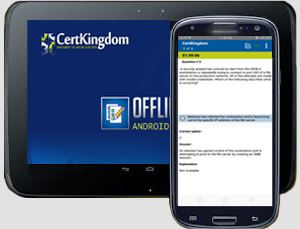
Take your learning mobile android device with all the features as desktop offline testing engine. All android devices are supported.
Supported Platforms: All Android OS EULA
Install the Android Testing Engine from google play store and download the app.ck from certkingdom website android testing engine download

Certkingdom Android Testing Engine Features
- CertKingdom Offline Android Testing Engine
- Make sure to enable Root check in Playstore
- Live Realistic practice tests
- Live Virtual test environment
- Live Practice test environment
- Mark unanswered Q&A
- Free Updates
- Save your tests results
- Re-examine the unanswered Q & A
- Make your own test scenario (settings)
- Just like the real tests: multiple choice questions
- Updated regularly, always current
